How to start trading
Your challenge lives on Polysetter. The trading happens on PolySimulator. These steps connect the two, once.
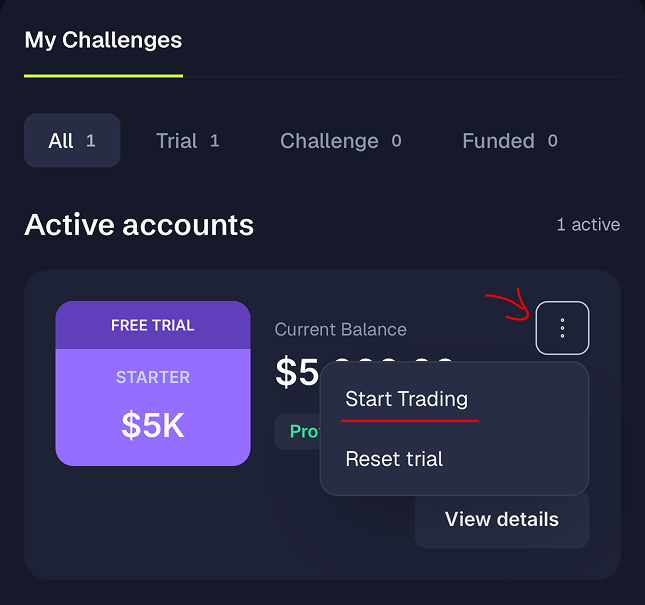
Send yourself a login link
No password to remember
Open the account you just bought and choose Start Trading, then Send Login Link. We email a link that signs you in to PolySimulator with this exact account attached.
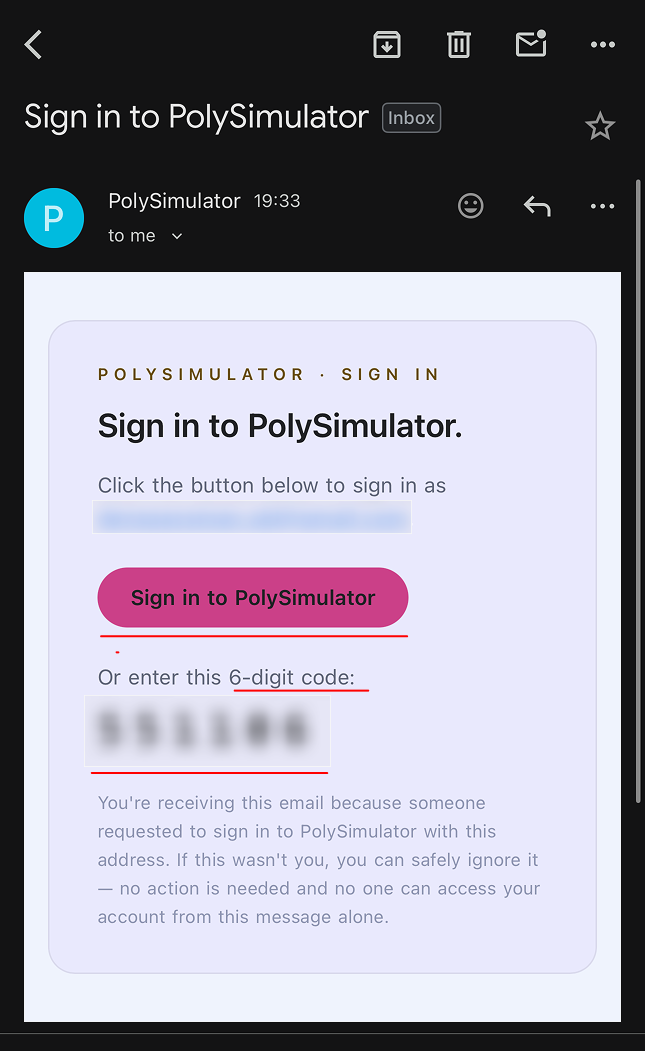
Open the email
From PolySimulator, subject "Sign in to PolySimulator"
Check the inbox of the address on your Polysetter account. The email holds two ways in: a pink Sign in to PolySimulator button and a six-digit code below it. Use whichever suits you, the button is one tap.
You land signed in
No second login
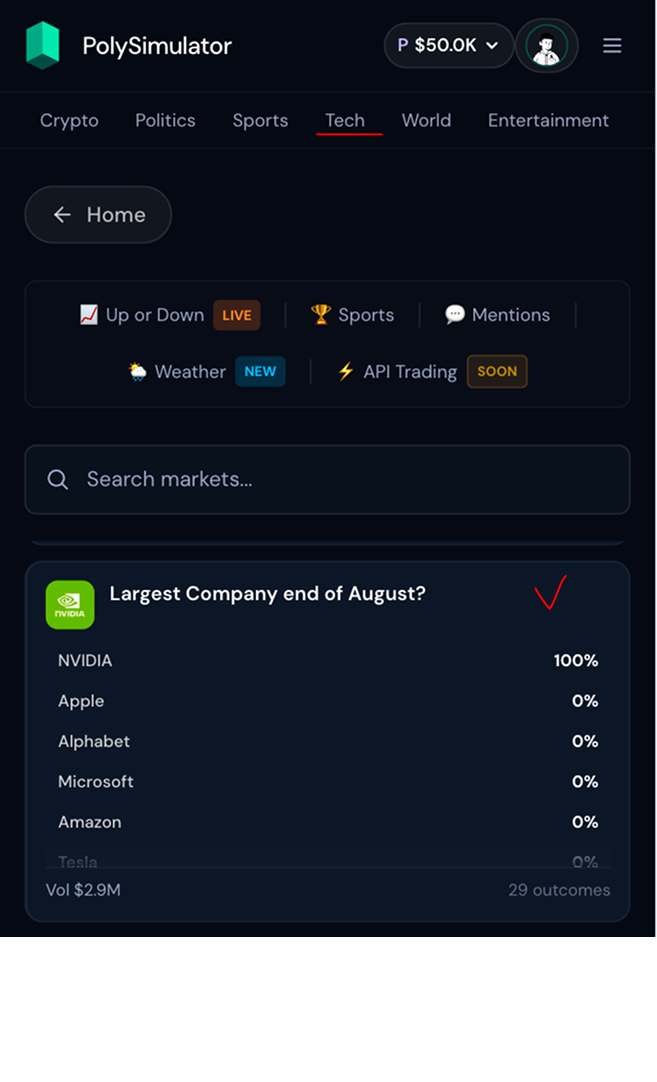
The button opens polysimulator.com with your session already active. You will see the platform's own dashboard: search, market categories, and your account value in the top-right corner.
Switch to your Polysetter account
The step that decides whether your trades count
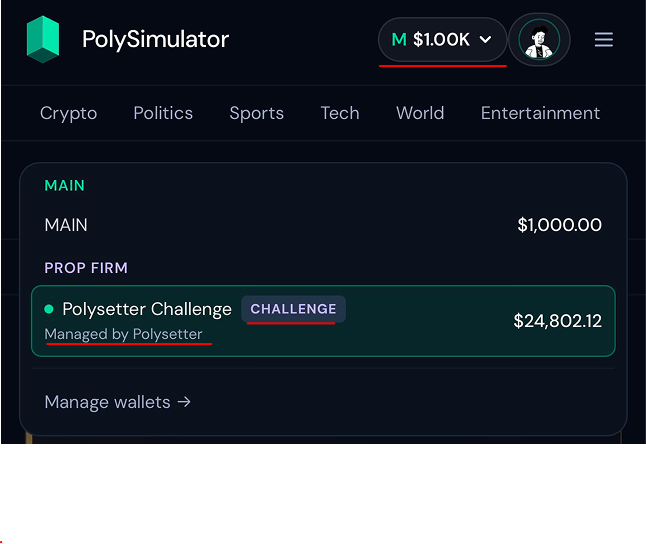
Open the account switcher in the top-right corner. Two groups appear:
- MAIN — PolySimulator's own practice account.
- PROP FIRM — your Polysetter account, labelled Managed by Polysetter and showing the size you bought.
Pick the one under PROP FIRM that matches your challenge size.
Understand what you are buying
A share pays $1 if you are right, nothing if you are wrong
Every market has two sides:
- YES — the event happens.
- NO — it does not.
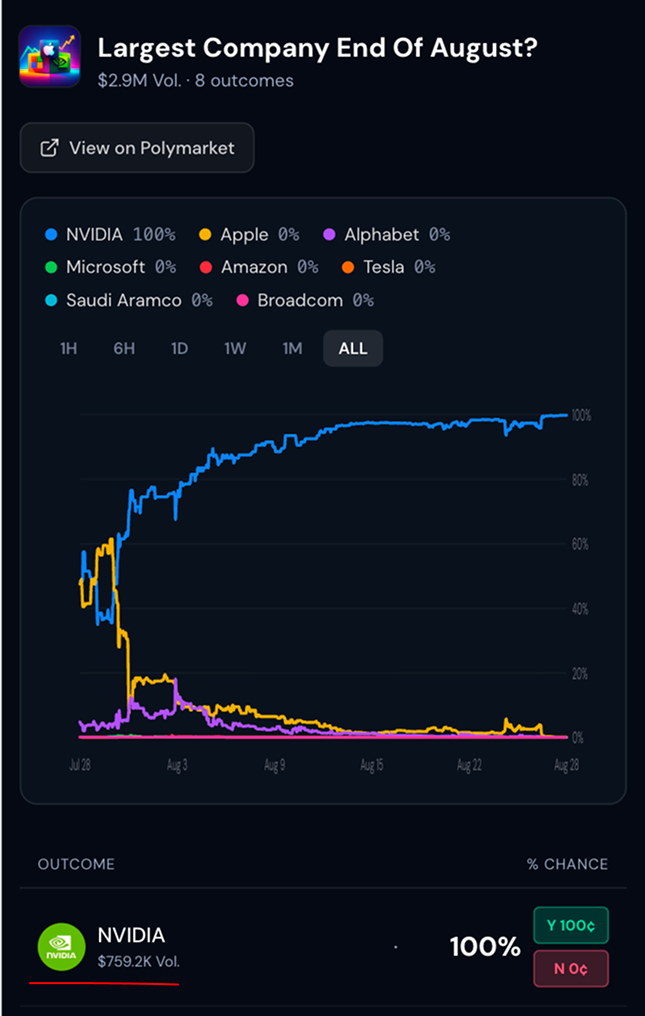
Prices run from 1¢ to 100¢, and the price is the market's estimate of the odds. A share at 77¢ means the market gives it roughly a 77% chance.
You do not have to wait for the result. Buy at 5¢, sell at 20¢, and you have made four times your money: the position is worth whatever the market currently pays for it.
Place your first trade
Pick an event, pick a side, name your amount
Choose a category, Crypto, Politics, Sports and the rest, or search. Open an event, for example Largest company end of August?, and you will see every outcome it contains with its current odds.
- 1Pick the outcome you have a view on.
- 2Choose Buy Yes or Buy No.
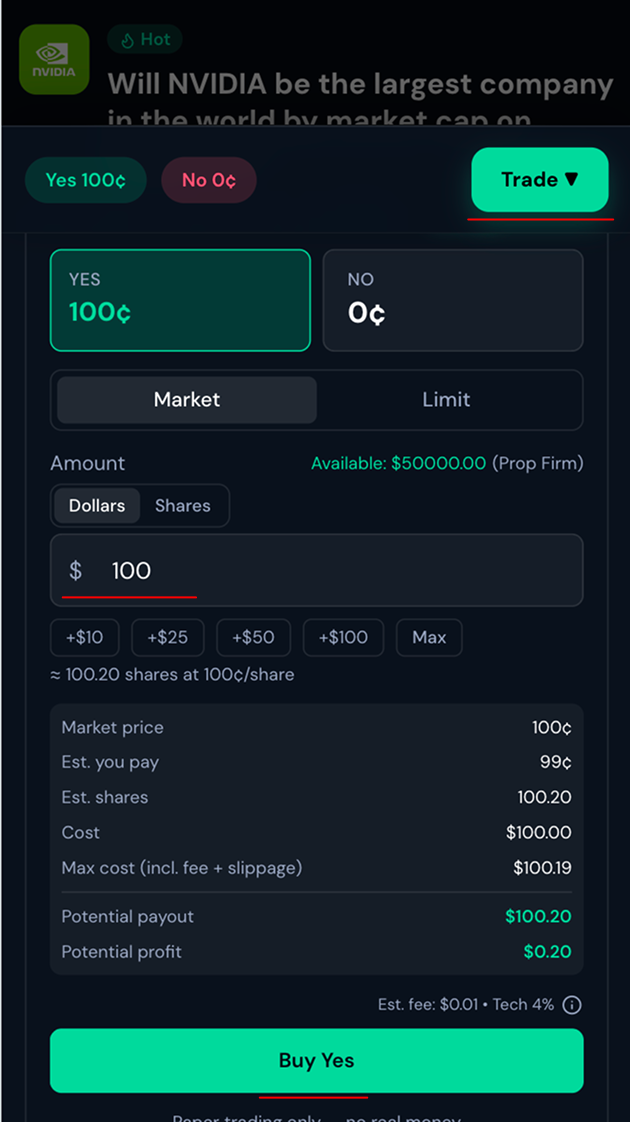
- 3Enter the amount in dollars, or switch to shares.
- 4Confirm.
The panel shows what you will get before you commit: estimated shares, the price per share, and the total cost.
Watch it move
Your result is the difference between your price and the market's
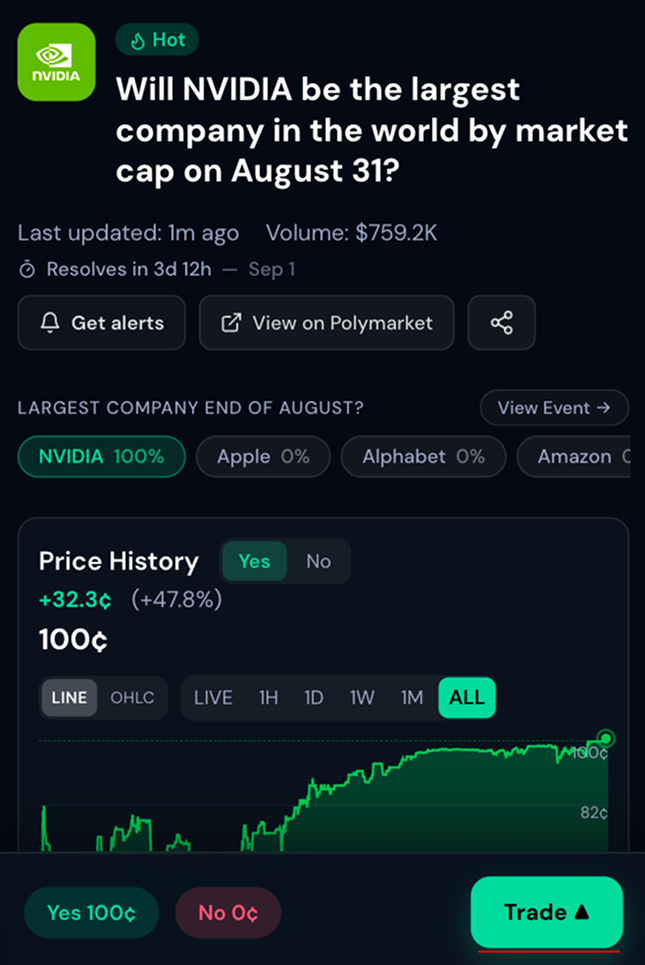
Once filled, the position is live. If the price moves toward your side, the position gains value; if it moves away, it loses. You can close at any time before the event resolves, or hold it to resolution.
Everything you make or lose here flows back to Polysetter on its own: balance, equity and trades appear on your account page and count toward your objectives.
Two things worth knowing
The fee shown at execution is Polymarket's own, passed through without markup. And the capital is simulated: you are proving consistency, not risking your own money.